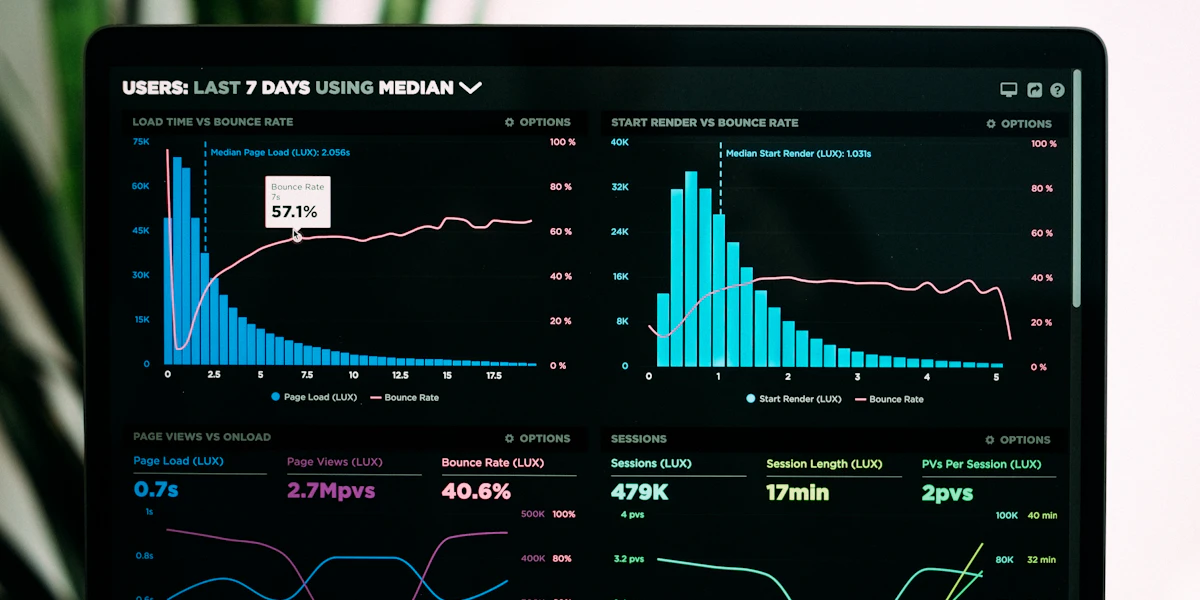
Somebody on the team downloaded Power BI Desktop, connected it to an Excel export, and built a report that looked great in the demo. Six months later the file takes ninety seconds to refresh, three people have their own version of "the real numbers", and nobody remembers why a measure gives a different total on the sales dashboard than on the finance one. That is usually the moment a Dutch SME starts searching for a Power BI consultant.
This guide covers what a Power BI consultant actually does, the signals that tell you it is time to bring one in rather than keep muddling through internally, what a real engagement looks like from first call to handover, and what it costs in the Netherlands in 2026.
What a Power BI consultant actually does
A Power BI consultant is not just someone who builds pretty charts. The real work happens underneath the report, in three layers:
- Data connections and modelling. Connecting Power BI to your actual sources (an ERP like Exact or AFAS, a SQL database, Excel exports, an API) and building a clean data model with correct relationships between tables, instead of one flat spreadsheet pretending to be a database.
- DAX and business logic. Writing the measures and calculated columns that turn raw rows into the numbers the business actually asks for: year-over-year growth, rolling averages, margin by product line, cohort retention. This is where most self-built reports quietly go wrong, because DAX behaves differently from an Excel formula and small mistakes produce numbers that look plausible but are wrong.
- Report and dashboard design. Structuring what people actually see: which KPIs go on page one, how filtering and drill-down work, what refreshes automatically and on what schedule, and who is allowed to see what through row-level security.
A good consultant also thinks about governance from day one: naming conventions, a shared workspace structure, and documentation, so the model does not become another single-person black box.
Signs you need one, not just more time in Power BI
Power BI's low barrier to entry is exactly what causes the problem. Anyone can open it and build something that works for a demo. Whether that "something" survives contact with the real business is a different question. Bring in a consultant when you recognise more than one of these:
- Reports take too long to refresh, or time out, because the underlying model is built as one wide flat table instead of a proper star schema.
- Numbers do not match between reports. Sales says one revenue figure, finance says another, and both are technically "correct" given how each measure was written.
- DAX errors nobody can debug. A measure throws a circular dependency or a context error and the person who wrote it has moved on or never fully understood why it worked in the first place.
- The model was built by whoever had time, not whoever understood the data, and adding a new report means duplicating half the existing logic.
- You are connecting to production databases directly without a proper extraction layer, which risks both performance and security.
- Leadership wants self-service analytics across the company but today only one person can safely touch the file.
If none of that applies and a single well-structured report covers your needs, you probably do not need a consultant yet — a short internal training investment may be enough. The point of hiring one is to fix the foundation, not to add polish to something that is already solid.
Build it yourself, hire in-house, or bring in a consultant?
There are three realistic paths, and each fits a different situation:
- 1. Do it yourself with training. Works when you have one or two structured data sources and a single owner willing to learn data modelling properly, not just drag-and-drop visuals. Cheapest, but slow, and the risk of building a fragile model stays high without outside review.
- 2. Hire in-house. Makes sense once you have enough recurring BI work to keep someone busy full time and want the knowledge to live permanently inside the company. Recruiting and onboarding takes months, and a single hire still has no backup when they are on leave or move on.
- 3. Bring in a consultant. The right fit for a defined project (a new data warehouse-backed dashboard, a rescue of a broken model, a rollout across departments) or for ongoing part-time support where the workload does not justify a full FTE. You get senior-level modelling and DAX experience without the hiring cycle, and a good consultant leaves your team able to maintain what they built.
Most Dutch SMEs land on a mix: a consultant builds the foundation and trains an internal "power user" who maintains it day to day, with the consultant on call for anything structural.
What a Power BI engagement actually looks like
A serious engagement is not "send us your data, get a dashboard back." It follows a defined sequence:
- 1. Discovery. What decisions should this report actually support, who reads it, and how often? This conversation is skipped more often than it should be, and skipping it is the single biggest reason self-built reports miss the mark.
- 2. Data audit and source connections. Mapping where the data actually lives, what quality issues exist (duplicate customer records, inconsistent product codes, missing dates), and how it will be extracted — direct query, scheduled import, or via an intermediate data warehouse for larger volumes.
- 3. Data modelling. Building the star schema: fact tables for transactions, dimension tables for customers, products, time and locations, with clean relationships. This is the layer that determines whether the report will still work when the company doubles in size.
- 4. DAX and measures. Writing the calculated logic with the business, not just to a spec, so the numbers match what finance and operations actually mean by "revenue" or "active customer".
- 5. Report build. Designing the actual pages, visuals, filters and drill-through paths, usually with one or two review rounds with the people who will use it daily.
- 6. Testing and validation. Checking the numbers against a known source (the ERP export, the accountant's figures) before anyone relies on the dashboard for decisions.
- 7. Training and handover. Walking your team through how the model works, documenting it, and making sure at least one internal person can make small changes without breaking things.
- 8. Ongoing support (optional). A retainer for new requests, source changes, and periodic model health checks, rather than a one-off project that quietly rots as the business changes underneath it.
A single, well-scoped dashboard project typically runs a few weeks. A full data warehouse-backed analytics platform across several departments is a multi-month engagement.
What it costs in the Netherlands (2026)
Two separate costs are involved: the licence and the consultant's time.
Power BI licensing. Power BI Pro is priced by Microsoft at USD 14 per user per month, and is included at no extra cost if your organisation already runs Microsoft 365 or Office 365 E5. Larger deployments with heavier capacity needs use Premium or Fabric capacity pricing instead of per-user licences — a consultant will tell you which model fits your scale rather than defaulting to the most expensive one.
Consultant rates. Freelance Power BI consultants in the Netherlands typically bill EUR 55 - 90 per hour on average, with junior specialists starting around EUR 50 - 70 and senior consultants or DAX/architecture specialists charging EUR 100 - 130 and upward, occasionally exceeding EUR 140 for combined Power BI and Azure data expertise. Where your quote lands in that range depends on the complexity of your data sources, how much modelling work is needed, and whether the engagement includes ongoing support.
A small, well-defined dashboard project with one or two clean data sources sits at the lower end of the effort scale. A rescue project on a broken model, or a build that spans multiple ERP modules and a proper data warehouse layer, takes meaningfully longer and should be scoped and quoted as a project rather than assumed from an hourly number alone.
How to choose the right consultant
- Ask to see a real data model, not just a finished report. Anyone can make a chart look good. Ask how they structure fact and dimension tables and why.
- Ask how they handle DAX validation. A consultant who cannot explain how they check that a measure gives the right number under every filter combination is a risk.
- Confirm they design for your team's Power BI skill level, not their own. A brilliant model nobody in-house can maintain becomes next year's "broken dashboard" problem again.
- Check whether training and documentation are included, not billed as an afterthought.
- Ask about the source connection strategy. Direct queries against a live production database can hurt performance; a proper extraction or warehouse layer is often worth the extra setup for anything beyond a small dataset.
Where Power BI fits into your wider data setup
A dashboard is only as reliable as the data feeding it. If your Power BI project keeps surfacing messy, duplicated or inconsistent source data, the fix usually is not a cleverer DAX formula — it is proper data modelling and pipeline work upstream. Our Data & Databases service covers exactly that: database administration, ETL pipelines and warehousing that give Power BI (or any BI tool) something reliable to sit on top of. For the reporting that feeds into recurring manual processes, our AI & Automation service can also take the next step and automate the actions that follow from the numbers, not just the reporting itself. If your data work is really about eliminating repetitive manual steps rather than dashboards, see our guide on automating business processes.
FAQ
Do I need a Power BI consultant or just Power BI training? If you have one or two clean data sources and a single motivated owner, training may be enough. If your data is spread across multiple systems, your model already misbehaves, or you need row-level security and governance, a consultant is the faster and safer route.
How long does a typical Power BI project take? A single, well-scoped dashboard on clean data usually takes a few weeks from discovery to handover. A data warehouse-backed platform spanning several departments is a multi-month engagement.
What does a Power BI consultant cost per hour in the Netherlands? Freelance rates typically run EUR 55 - 90 per hour on average, from around EUR 50 - 70 for juniors up to EUR 100 - 140+ for senior specialists in DAX, data architecture and security.
Is Power BI Pro included in Microsoft 365? It is included at no extra cost with Microsoft 365 or Office 365 E5. Otherwise it is licensed separately at USD 14 per user per month.
Can a consultant fix a Power BI model someone else already built? Yes, and this is a common engagement type. It usually starts with a data model audit to find where the relationships or DAX logic went wrong, before deciding whether to repair the existing model or rebuild the affected part.
Talk to a data specialist
Whether you need a single dashboard rescued or a full analytics setup connected to reliable data pipelines, our Data & Databases team can scope the work and tell you honestly whether a small fix or a bigger rebuild is the right call.